BallSheet Download: Do You Need It or Can You Play in Browser?
A practical guide for players who search for a BallSheet download, covering the browser version, BallSheetOGL, safety checks, controls, and score comparison.

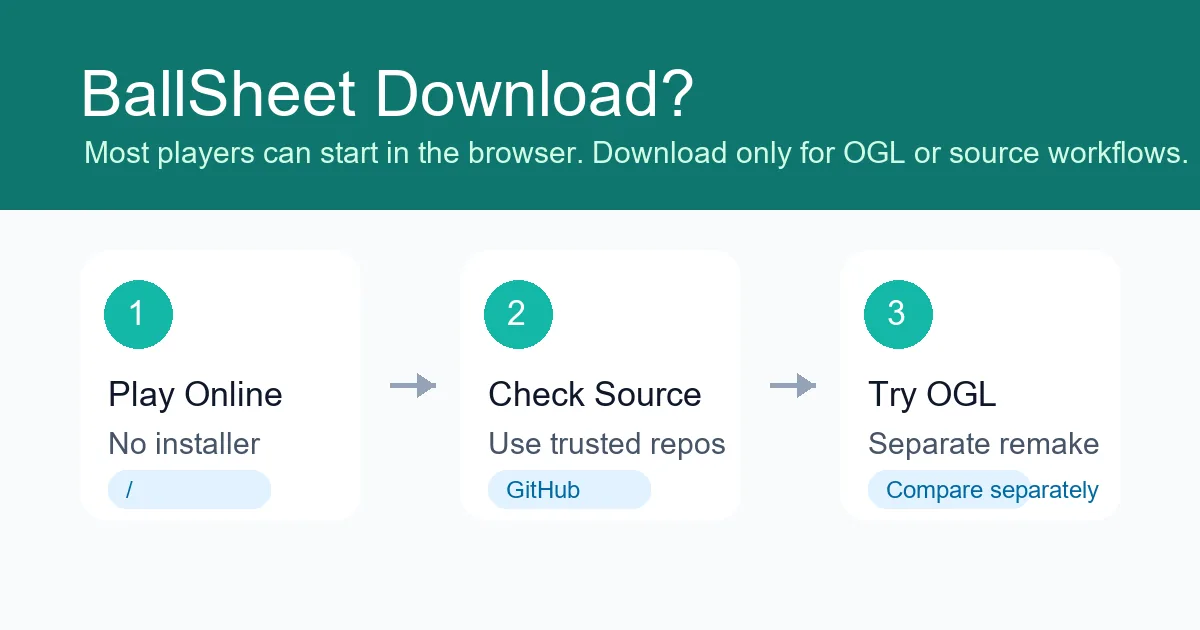
Most BallSheet players can start in the browser; downloads only matter for separate remake or source-code workflows.
Quick Answer
You usually do not need a BallSheet download to play. The fastest and safest path is the BallSheet online browser page, which launches the game directly. A download only becomes relevant if you specifically want to inspect source code, build a local copy, or try a separate remake such as BallSheetOGL.
Contents
What People Usually Mean by BallSheet Download
Searchers who type BallSheet download often have one of three goals. Some simply want to play and assume every game requires an installer. Some are trying to find the original project or source code. Others have heard about BallSheetOGL and are looking for a desktop-style version.
Those goals should not be treated as the same intent. The browser BallSheet experience is built for instant play, while desktop remakes and source-code workflows are for players who want a different environment or technical control. Separating those paths helps avoid unnecessary downloads and misleading score comparisons.
If your goal is just to start a run, stay with the browser page. If your goal is to study the project or compare implementations, then a repository or remake page may be relevant, but you should still verify the source before installing anything.
Browser BallSheet vs a Downloaded Copy
The browser version is the best default for most players because it has no installer, no setup steps, and no local build process. You open the page, click into the game area, and start chasing target balls. That makes it a better match for short reaction practice than a download workflow.
A downloaded or locally built copy can make sense when you want offline experimentation, code inspection, or a controlled test environment. It is not required for ordinary play, and it may not feel identical to the embedded browser page if rendering, frame timing, input settings, or browser APIs differ.
For score tracking, compare runs inside the same environment. A score from a browser session should be compared with other browser sessions. A score from a native remake or local build should be treated as its own context.
Safe Ways to Access BallSheet
Use the online page first when you only want to play. It keeps the game in the browser and avoids unnecessary files on your device. The page also explains score pressure, controls, reaction stats, EPS, and high-score reset behavior.
Use the original project repository when you want source context. Repository pages are better factual references than random download mirrors because they show project history, files, and ownership signals.
Use remake repositories only when you intentionally want a separate implementation. A remake can be useful, but it should not be presented as the same thing as the browser version without context.
| Path | Best for | Download needed | Risk note |
|---|---|---|---|
| BallSheet online browser pageInstant play route | Playing quickly with no setup | No | Lowest-friction option for most players |
| Original source repositoryProject context route | Checking code or project identity | Only if you clone or build it | Verify repository ownership before running local code |
| BallSheetOGL remakeSeparate desktop-style implementation | Players testing the OpenGL remake | Usually yes | Scores may not match browser-version runs |
Where BallSheetOGL Fits
BallSheetOGL is best understood as a separate remake path, not a required download for the browser game. It can be interesting for desktop players who want a native OpenGL implementation, but it has its own access and comparison rules.
Because BallSheet is a reaction game, small implementation details matter. Input handling, rendering cadence, window focus, cursor behavior, and device settings can all change how a run feels. That is why browser BallSheet and BallSheetOGL scores should be labeled separately.
If you are new to the game, play the browser version first. After you understand the core loop, you can decide whether a remake or local source workflow is worth the extra setup.
Controls to Know After You Start
A download guide should still answer the practical follow-up: once you choose the browser route, how do you play? The core action is to move the cursor into each visible ball as quickly and cleanly as possible. Each successful hit spawns the next target.
Common browser controls include R or Space to restart or end a run, S to toggle visible stats, C to change ball color mode, B to toggle corner shortcut buttons, O for custom cursor mode, and H to reset locally stored high scores.
If a key does not respond, click inside the game area first so the embedded game has focus. This is a browser focus issue, not a sign that you need a download.
BallSheet Download Safety Checklist
Before you run any file connected to a BallSheet download query, identify exactly which path you are using. Browser BallSheet needs no installer. BallSheetOGL is a separate remake. Source-code workflows are for people who intentionally want to inspect or build a local copy.
A safe download page should name the version, point to a recognizable repository or release page, avoid bundled software, and explain what the file is for. If the page only says download BallSheet now without version context, it does not satisfy the search intent safely.
For most players, the right answer remains no download. Open the browser game, click inside the frame so it has focus, and use the controls listed on the play page. Move to OGL only if you deliberately want the desktop remake.
| Before downloading | Safe signal | Risk signal | |
|---|---|---|---|
| Version namedBrowser BallSheet, source code, or BallSheetOGL is clear | User knows what they are getting | Generic installer label | Do not run unclear files |
| Source traceableRecognizable repository or release page | Checking project identity | Reposted archive with no source | Prefer official project context |
| No bundle pressureNo extra extensions or unrelated software | Normal reaction-game play | Aggressive installer prompts | Use browser play instead |
What to Avoid When Searching for Downloads
Avoid pages that promise a BallSheet installer but do not explain which version they provide. BallSheet search results can mix the browser game with unrelated “ball sheet” forms, generic score sheets, and mirror pages.
Be cautious with archives, executable files, or reposted builds that do not point back to a recognizable project page. A small browser game should not require aggressive installer permissions, unrelated browser extensions, or bundled software.
Also avoid using a downloaded remake to judge whether the online version is broken. If a browser embed is not responding, first check focus, fullscreen mode, reload behavior, and keyboard shortcuts on the online page.
Recommended Path
Start with the browser version, then only move to source-code or remake downloads if you have a specific technical reason. That keeps normal play simple while preserving a clean path for players who want to inspect or compare versions.
FAQ
References
Last updated: June 17, 2026
Play BallSheet Online